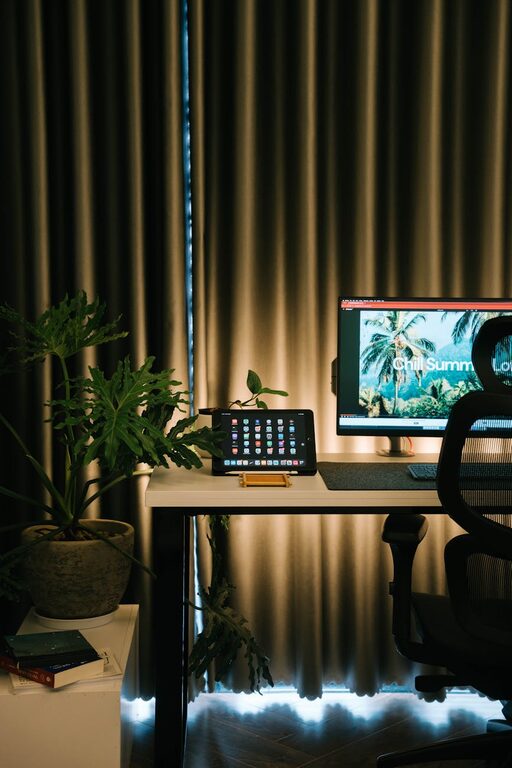
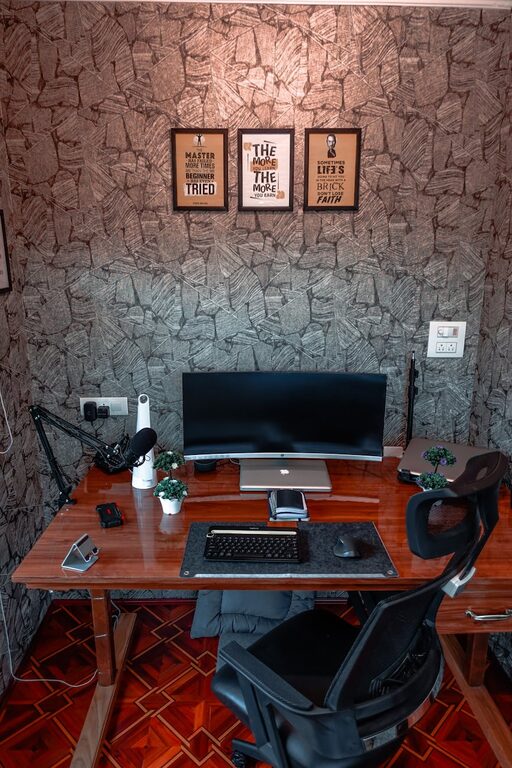
Creating a home workspace that is both cozy and functional can make a significant difference in your daily productivity and overall work satisfaction. Whether you work remotely full-time or occasionally need a dedicated spot for focused tasks, designing your workspace thoughtfully can help you stay organized, comfortable, and motivated.
In this post, we’ll explore essential tips and ideas to create a home workspace that supports your work habits while inviting comfort and style.
Choose the Right Location
Selecting the perfect spot to set up your workspace is the first step. Ideally, find a quiet area with minimal distractions and good natural light. Here are some considerations:
– Natural Light: A space near a window not only improves mood but also reduces eye strain.
– Privacy: If possible, choose a separate room or a corner away from household noise.
– Accessibility: Ensure your workspace is easy to access and close to any necessary resources, such as power outlets and your internet connection.
Invest in Ergonomic Furniture
Comfort plays a crucial role in maintaining focus and preventing fatigue or injury. The right furniture supports good posture and reduces strain:
– Chair: Choose an adjustable chair with lumbar support. A comfortable seat can prevent back and neck pain.
– Desk: Pick a desk at the right height for you. Consider standing desks or adjustable desks if you like to alternate between sitting and standing.
– Footrest and Accessories: Footrests, wrist supports, and monitor stands can help create an ergonomic setup that fits your body and work needs.
Optimize Lighting
Proper lighting is essential for reducing eye strain and creating an inviting space:
– Task Lighting: Use desk lamps or adjustable lighting to focus light on your work surface.
– Ambient Lighting: Soft ambient lighting can balance harsh overhead lights and create a warm atmosphere.
– Avoid Glare: Position your computer screen to avoid reflections from windows or lights.
Keep Your Workspace Organized
A clutter-free space supports clarity and efficiency. Organization helps you find what you need without distraction:
– Storage Solutions: Use shelves, drawers, and boxes to keep supplies neatly stored.
– Cable Management: Tidy cables with clips or sleeves to prevent tangles.
– Daily Clean-up: Spend a few minutes each day clearing your desk to start fresh the next day.
Personalize Your Space
Adding personal touches can make your workspace feel more inviting and motivate you:
– Plants: Greenery adds life and improves air quality.
– Artwork or Photos: Visuals that inspire or relax you can enhance your mood.
– Comfort Items: Cozy blankets, cushions, or a favorite mug contribute to comfort.
Choose the Right Tech Setup
Ensure your technology supports your workflow without causing frustration:
– Reliable Internet: A strong, stable connection prevents interruptions.
– Quality Devices: Invest in a good monitor, keyboard, mouse, and headphones as needed.
– Backup Power: Surge protectors or back-up batteries can protect your work during outages.
Manage Noise Levels
Minimizing distractions helps maintain focus:
– Noise-Canceling Headphones: Useful for blocking out household sounds.
– White Noise Machines or Apps: Help mask distracting noises and improve concentration.
– Soundproofing: Use rugs, curtains, or acoustic panels to reduce echo and outside noise.
Maintain Boundaries and Routine
Creating a cozy workspace also means setting expectations for yourself and others:
– Designate Work Hours: Stick to regular start and end times.
– Separate Work and Personal Life: Avoid working from your bed or couch to keep mental boundaries clear.
– Communicate Boundaries: Let family or housemates know your work times to minimize interruptions.
Add Comfort Features
Small details can drastically improve how cozy your workspace feels:
– Temperature Control: Use fans, heaters, or open windows to maintain a comfortable climate.
– Aromatherapy: A subtle scent from essential oils or candles can create a relaxing environment.
– Comfortable Flooring: Consider a soft rug under your desk or chair mat for hard floors.
Regularly Reassess Your Setup
Your needs may change, so it’s important to revisit how your workspace is functioning:
– Adjust Furniture and Tech: As your work evolves, upgrade or tweak your equipment.
– Refresh Décor: New colors or artwork can renew your inspiration.
– Evaluate Workflow: Rearrange tools or storage to streamline your tasks.
—
Creating a cozy and functional home workspace is about balancing comfort, organization, and efficiency. By applying these tips, you can build an environment that helps you work better and enjoy the process. Start small, and personalize your space to fit your unique style and needs—you’ll be surprised how much a well-designed workspace can enhance your daily routine.
About the Author